
Historical integration. This 2025 article describes an earlier interface and is retained for reference. For the proposed replacement, see the ToplingDB development guide. That guide describes unreleased changes; do not mix its settings with these historical examples.
ToplingDB is a configurable and observable extension of RocksDB. It supports dynamic tuning via YAML files and enables real-time monitoring through a built-in Web Server.
Update hugegraph.properties
Initialize the database (required on the first startup, or a new configuration was manually added under ‘conf/graphs/’)
Start server
Verify ToplingDB Is Working Properly
Prerequisite: Ensure Core Parameters Are Correctly Configured
Check that hugegraph.properties includes:
Method 1: Access the Web Monitoring Interface
Visualize the Web monitoring page. Example screenshot:
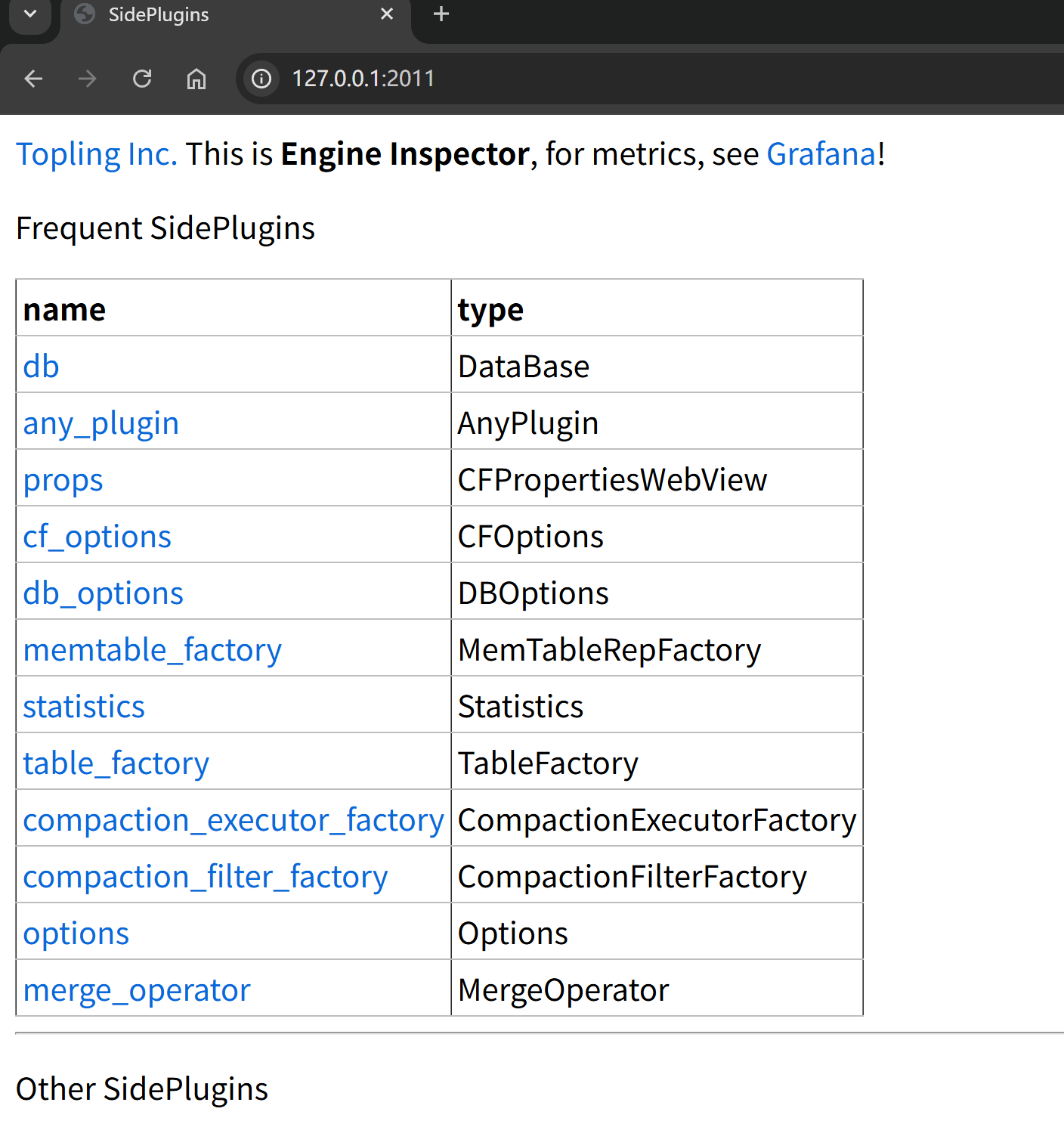
Verify via terminal:
The following output indicates the page is working:
Method 2: Check ToplingDB Initialization Info in Logs
Similar output indicates ToplingDB is the storage engine:
Common Troubleshooting
Issue 1: Startup Failure Due to YAML Format Error
Sample log during startup:
Solutions:
- Check YAML indentation (must use spaces, not tabs)
- Validate YAML syntax:
python -c "import yaml; yaml.safe_load(open('conf/graphs/rocksdb_plus.yaml'))" - Review specific error messages in logs
Issue 2: Web Server Port Conflict
Sample log during startup:
Solutions:
- Check if the port is occupied:
lsof -i :2011 - Modify
listening_portsin the YAML file - Restart HugeGraph Server
Issue 3: Database Initialization Failure
Sample output indicating lock acquisition failure, possibly due to write permission issues or another process locking the DB:
Solutions:
- Confirm correct config path:
rocksdb.option_path=./conf/graphs/rocksdb_plus.yaml - Check data directory permissions: ensure read/write access for the running user
- Review detailed logs:
bin/init-store.sh 2>&1 | tee init.log
Related Documentation
- ToplingDB YAML Configuration Explained – Understand each parameter in the config file
- HugeGraph Configuration Guide – Reference for core HugeGraph settings
- ToplingDB GitHub Repository – Official docs and latest updates