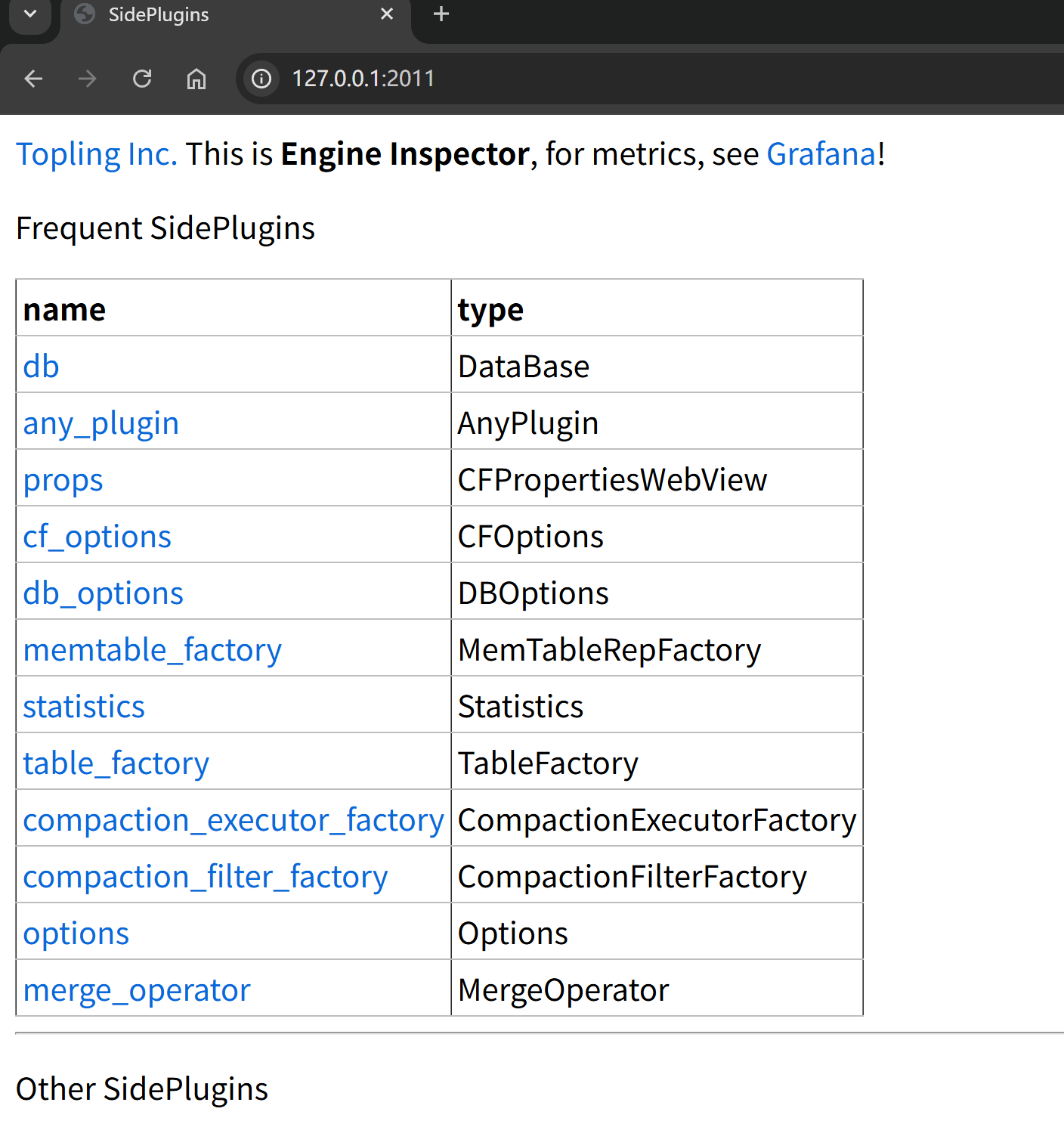
Topling Inc.This is Engine Inspector, for metrics, see Grafana!
``` ### Method 2: Check ToplingDB Initialization Info in Logs ```bash tail -f logs/hugegraph-server.log | grep -i topling ``` Similar output indicates ToplingDB is the storage engine: ```java 2025-10-14 08:56:25 [db-open-1] [INFO] o.a.h.b.s.r.RocksDBStdSessions - SidePluginRepo found. Will attempt to open multi CFs RocksDB using Topling plugin. 2025-10-14 08:56:25 [db-open-1] [INFO] o.a.h.b.s.r.RocksDBStdSessions - Topling HTTP Server has been started according to the listening_ports specified in ./conf/graphs/rocksdb_plus.yaml ``` ## Common Troubleshooting ### Issue 1: Startup Failure Due to YAML Format Error Sample log during startup: ```java 2025-10-15 01:55:50 [db-open-1] [INFO] o.a.h.b.s.r.RocksDBStdSessions - SidePluginRepo found. Will attempt to open multi CFs RocksDB using Topling plugin. 21:1: (891B):ERROR: sideplugin/rockside/3rdparty/rapidyaml/src/c4/yml/parse.cpp:3310: ERROR parsing yml: parse error: incorrect indentation? ``` **Solutions**: 1. Check YAML indentation (must use spaces, not tabs) 2. Validate YAML syntax: `python -c "import yaml; yaml.safe_load(open('conf/graphs/rocksdb_plus.yaml'))"` 3. Review specific error messages in logs ### Issue 2: Web Server Port Conflict Sample log during startup: ```java 2025-10-15 01:57:34 [db-open-1] [INFO] o.a.h.b.s.r.RocksDBStdSessions - SidePluginRepo found. Will attempt to open multi CFs RocksDB using Topling plugin. 2025-10-15 01:57:34 [db-open-1] [ERROR] o.a.h.b.s.r.RocksDBStore - Failed to open RocksDB 'rocksdb-data/data/g' org.rocksdb.RocksDBException: rocksdb::Status rocksdb::SidePluginRepo::StartHttpServer(): null context when constructing CivetServer. Possible problem binding to port. at org.rocksdb.SidePluginRepo.startHttpServer(Native Method) ~[rocksdbjni-8.10.2-20250804.074027-4.jar:?] ``` **Solutions**: 1. Check if the port is occupied: `lsof -i :2011` 2. Modify `listening_ports` in the YAML file 3. Restart HugeGraph Server ### Issue 3: Database Initialization Failure Sample output indicating lock acquisition failure, possibly due to write permission issues or another process locking the DB: ```java Caused by: org.rocksdb.RocksDBException: While lock file: rocksdb-data/data/m/LOCK: Resource temporarily unavailable at org.rocksdb.SidePluginRepo.nativeOpenDBMultiCF(Native Method) at org.rocksdb.SidePluginRepo.openDB(SidePluginRepo.java:22) ``` **Solutions**: 1. Confirm correct config path: `rocksdb.option_path=./conf/graphs/rocksdb_plus.yaml` 2. Check data directory permissions: ensure read/write access for the running user 3. Review detailed logs: `bin/init-store.sh 2>&1 | tee init.log` ## Related Documentation - [ToplingDB YAML Configuration Explained](/blog/2025/09/30/toplingdb-yaml-configuration-file/) – Understand each parameter in the config file - [HugeGraph Configuration Guide](/docs/config/config-option) – Reference for core HugeGraph settings - [ToplingDB GitHub Repository](https://github.com/topling/toplingdb) – Official docs and latest updates