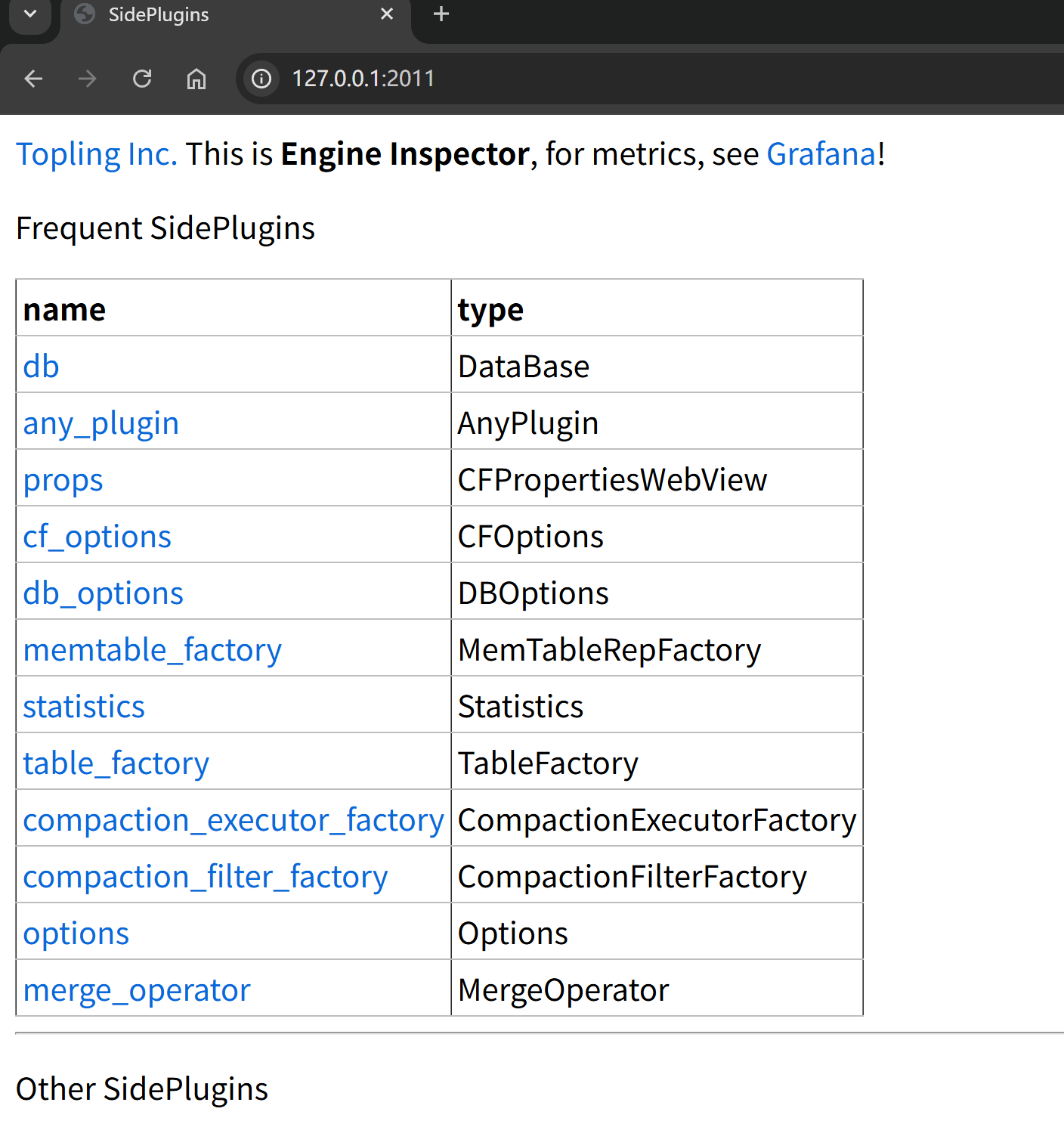
Topling Inc.This is Engine Inspector, for metrics, see Grafana!
``` ### 方式二: 检查日志中的 ToplingDB 初始化信息 ```bash tail -f logs/hugegraph-server.log | grep -i topling ``` 类似输出说明存储引擎启动为ToplingDB: ```java 2025-10-14 08:56:25 [db-open-1] [INFO] o.a.h.b.s.r.RocksDBStdSessions - SidePluginRepo found. Will attempt to open multi CFs RocksDB using Topling plugin. 2025-10-14 08:56:25 [db-open-1] [INFO] o.a.h.b.s.r.RocksDBStdSessions - Topling HTTP Server has been started according to the listening_ports specified in ./conf/graphs/rocksdb_plus.yaml ``` ## 常见问题排查 ### 问题 1: 启动失败,提示 YAML 格式错误 启动时有类似日志: ```java 2025-10-15 01:55:50 [db-open-1] [INFO] o.a.h.b.s.r.RocksDBStdSessions - SidePluginRepo found. Will attempt to open multi CFs RocksDB using Topling plugin. 21:1: (891B):ERROR: sideplugin/rockside/3rdparty/rapidyaml/src/c4/yml/parse.cpp:3310: ERROR parsing yml: parse error: incorrect indentation? ``` **解决方案**: 1. 检查 YAML 文件缩进是否正确(必须使用空格,不能使用 Tab) 2. 验证 YAML 语法: `python -c "import yaml; yaml.safe_load(open('conf/graphs/rocksdb_plus.yaml'))"` 3. 检查日志中的具体错误信息 ### 问题 2: Web Server 端口冲突 启动时有类似日志: ```java 2025-10-15 01:57:34 [db-open-1] [INFO] o.a.h.b.s.r.RocksDBStdSessions - SidePluginRepo found. Will attempt to open multi CFs RocksDB using Topling plugin. 2025-10-15 01:57:34 [db-open-1] [ERROR] o.a.h.b.s.r.RocksDBStore - Failed to open RocksDB 'rocksdb-data/data/g' org.rocksdb.RocksDBException: rocksdb::Status rocksdb::SidePluginRepo::StartHttpServer(): null context when constructing CivetServer. Possible problem binding to port. at org.rocksdb.SidePluginRepo.startHttpServer(Native Method) ~[rocksdbjni-8.10.2-20250804.074027-4.jar:?] ``` **解决方案**: 1. 检查端口是否被占用: `lsof -i :2011` 2. 修改 YAML 文件中的 `listening_ports` 配置 3. 重启 HugeGraph Server ### 问题 3: 初始化数据库失败 类似输出说明无法获取数据库锁,可能缺乏写权限,也可能是被数据库被另外一个进程锁定: ```java Caused by: org.rocksdb.RocksDBException: While lock file: rocksdb-data/data/m/LOCK: Resource temporarily unavailable at org.rocksdb.SidePluginRepo.nativeOpenDBMultiCF(Native Method) at org.rocksdb.SidePluginRepo.openDB(SidePluginRepo.java:22) ``` **解决方案**: 1. 确认配置文件路径正确: `rocksdb.option_path=./conf/graphs/rocksdb_plus.yaml` 2. 检查数据目录权限: 确保运行用户有读写权限 3. 查看详细日志: `bin/init-store.sh 2>&1 | tee init.log` ## 相关文档 - [ToplingDB YAML 配置详解](/cn/blog/2025/09/30/toplingdb-yaml-configuration-file/) - 了解配置文件中各参数的含义 - [HugeGraph 配置说明](/docs/config/config-option/) - HugeGraph 核心配置参考 - [ToplingDB GitHub 仓库](https://github.com/topling/toplingdb) - 官方文档和最新更新