Contribute to the HugeGraph Community
Choose How to Contribute
You can report problems through GitHub Issues, or contribute code, tests, or documentation. Before starting a substantial change, consider opening an issue that explains its scope to avoid duplicated work.
The following example uses apache/hugegraph. The same process applies to other HugeGraph repositories, but follow each repository’s README.md, AGENTS.md, and CI configuration for its build and test commands.
Prepare the Repository
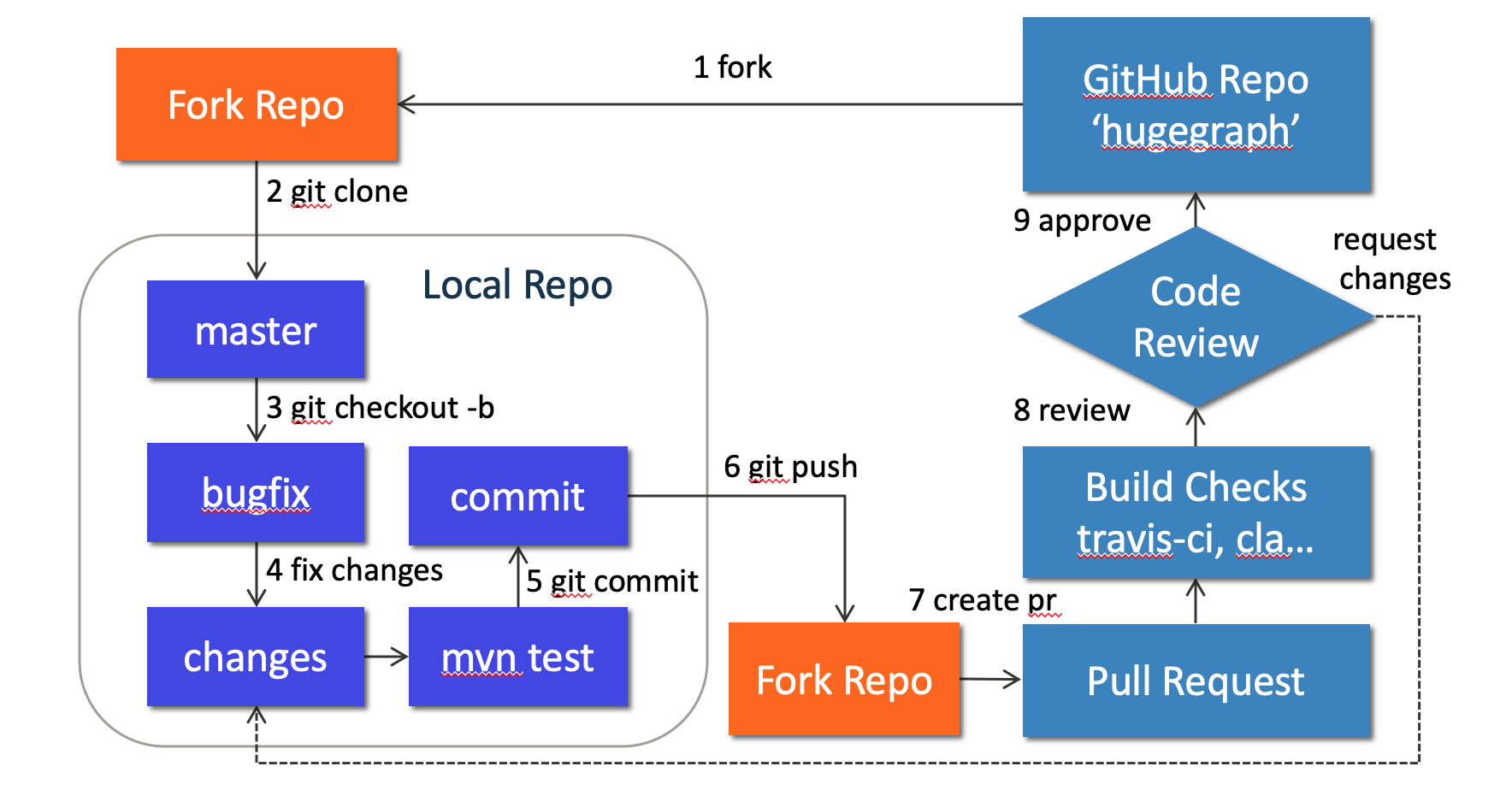
Fork apache/hugegraph on GitHub, then clone your fork:
Do not develop directly on master. Use a separate branch for each change:
Make and Verify Changes
HugeGraph Server code is under hugegraph-server/. For example, the core module is located at:
Current top-level Maven modules are listed below. Server’s hugegraph-server/hugegraph-hstore/ storage adapter is distinct from the standalone hugegraph-store/ storage-node project.
| Path | Submodules |
|---|---|
hugegraph-server/ | hugegraph-core/, hugegraph-api/, hugegraph-example/, hugegraph-dist/, hugegraph-test/, hugegraph-rocksdb/, hugegraph-hbase/, hugegraph-hstore/ |
hugegraph-pd/ | hg-pd-common/, hg-pd-client/, hg-pd-core/, hg-pd-service/, hg-pd-dist/, hg-pd-cli/, hg-pd-grpc/, hg-pd-test/ |
hugegraph-store/ | hg-store-common/, hg-store-client/, hg-store-core/, hg-store-node/, hg-store-dist/, hg-store-cli/, hg-store-grpc/, hg-store-rocksdb/, hg-store-test/ |
hugegraph-commons/ | hugegraph-common/, hugegraph-rpc/ |
hugegraph-cluster-test/ | hugegraph-clustertest-minicluster/, hugegraph-clustertest-dist/, hugegraph-clustertest-test/ |
| Independent root modules | hugegraph-struct/, install-dist/ |
These names come from the root and subproject pom.xml files. Use the structure of the branch you are working on.
For the 1.8.0 shared-foundation changes merged into Server master, see the
shared-foundation ownership and Java migration guide.
Build current Server master with Java 17 and Maven 3.6.3 or later.
CI-friendly versions are flattened during process-resources, so installed and deployed POMs contain concrete versions.
Run the reactor with install before building modules separately, and keep Maven Resolver validation enabled, including with Maven 3.10.
Run the tests directly related to your change first. Common Server test commands include:
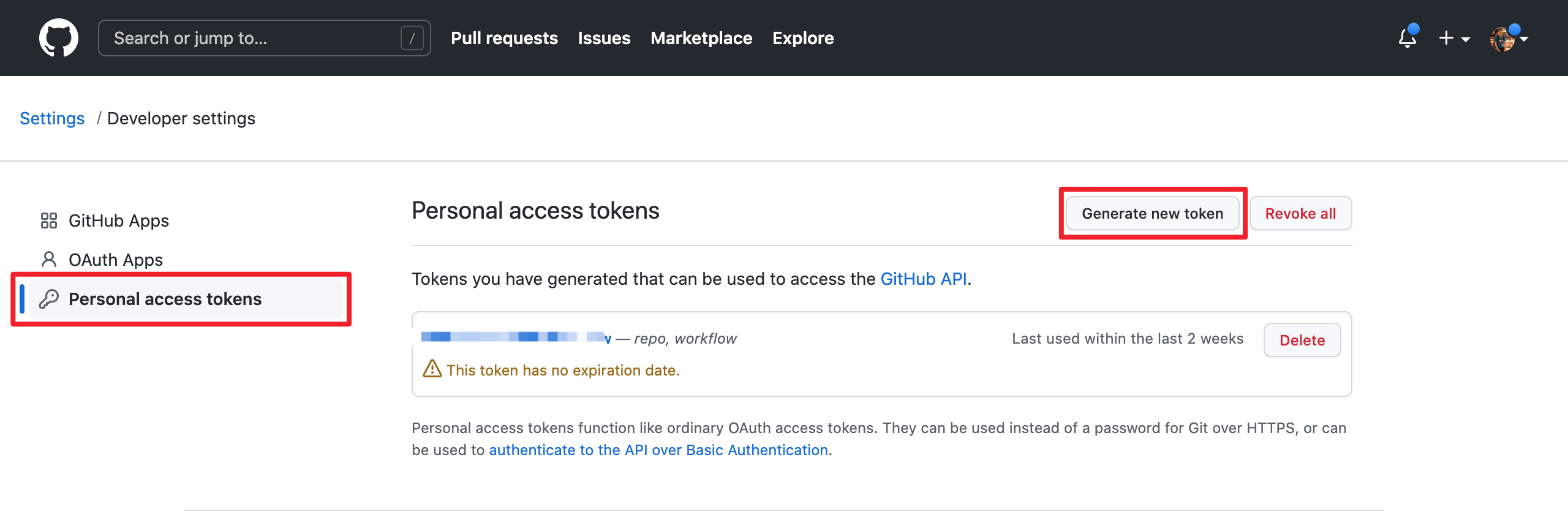
GitHub requires a username and token for Git authentication instead of a username and password. Create a personal access token at https://github.com/settings/tokens:
When adding a third-party dependency, also update the license information included in the distribution:
Add the dependency’s license file to
install-dist/release-docs/licenses/.Update
install-dist/release-docs/LICENSE. If the dependency includes a NOTICE file, updateNOTICEas well.From the repository root, prepare the current revision’s Server, PD and Store distribution libraries before regenerating the inventory:
Clean rebuilds the current revision’s distributions to avoid stale dependency jars. It also removes every
*.tarand*.tar.gzfile directly underhugegraph-server/,hugegraph-pd/andhugegraph-store/, plus the current revision’sapache-hugegraph-<revision>.tar.gzin the repository root; directories of other revisions remain.This build skips tests. Collection combines Maven runtime dependencies with actual flat and nested distribution jars, including Spring Boot
BOOT-INF/libdependencies introduced by repackaging. Missing distributions must fail collection; POM inspection alone does not establish the complete shipped inventory. Review strict additions/removals ininstall-dist/scripts/dependency/known-dependencies.txtand their license/NOTICE coverage, including release platform/profile variants.
Submit a Pull Request
GitHub no longer accepts an account username and password for pushing code. If you need a personal access token, create one with the necessary permissions in token settings.
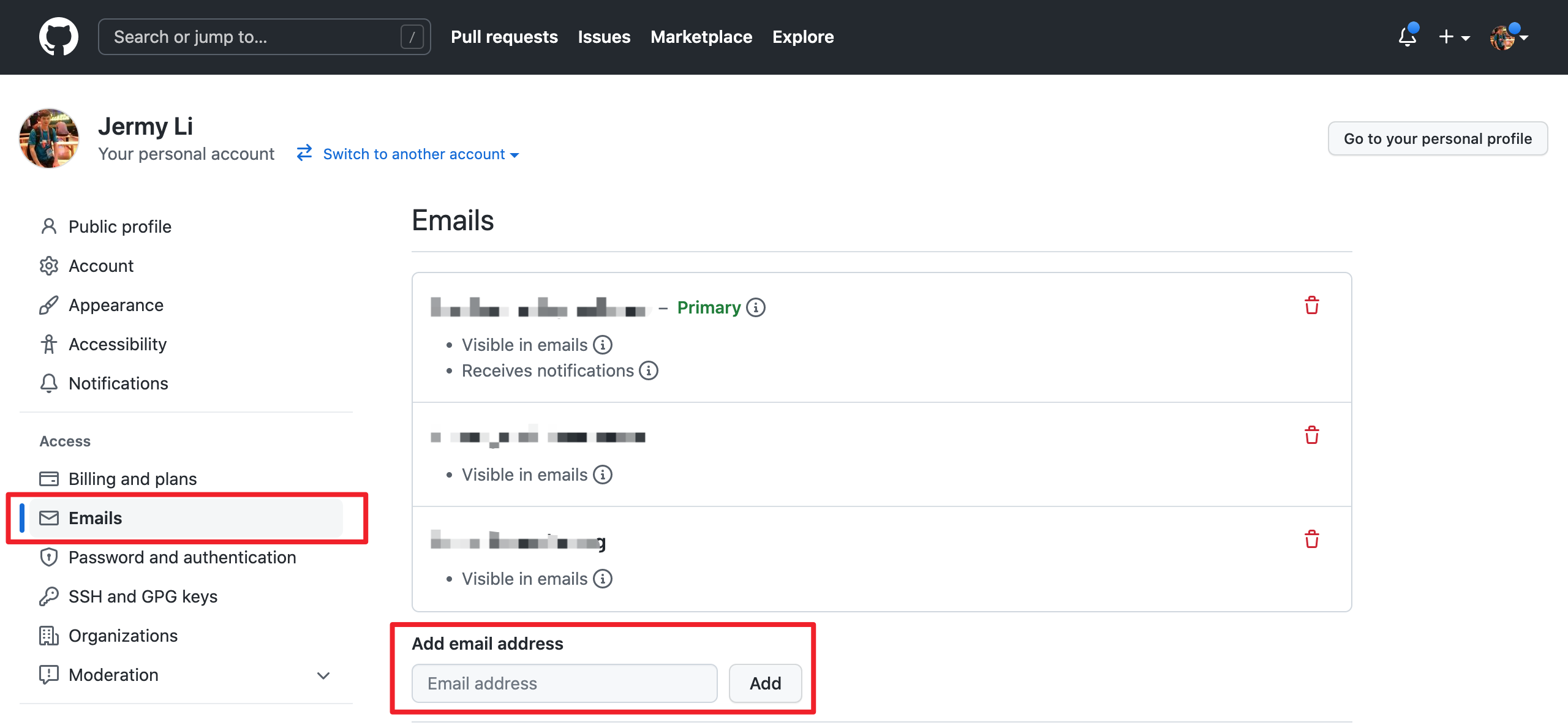
Make sure the email address used for your commits is associated with your GitHub account. Use email settings:
Use the type(module): message format for commit messages, for example:
Then open a pull request from your fork branch to apache/hugegraph:master. Explain the problem, the implementation, and the validation commands you actually ran. Include screenshots for UI changes.
Address Review Feedback
If CI fails or a reviewer requests changes, continue committing and pushing to the same branch. Rebase when you need to synchronize with upstream:
Do not overwrite the remote branch with plain --force. After all CI and review requirements are satisfied, a project maintainer will merge the pull request.
Contributor agreements follow the official ASF process. See the Contributor Agreement.