Version 1.3 of the documentation is no longer actively maintained. The site that you are currently viewing is an archived snapshot. For up-to-date documentation, see the latest version.
HugeGraph-Ai Quick Start (Beta)
1 HugeGraph-Ai Overview
hugegraph-ai aims to explore the integration of HugeGraph and artificial intelligence (AI), including applications combined with large models, integration with graph machine learning components, etc., to provide comprehensive support for developers to use HugeGraph’s AI capabilities in projects.
2 Environment Requirements
- python 3.8+
- hugegraph 1.0.0+
3 Preparation
- Start the HugeGraph database, you can achieve this through Docker. Please refer to this link for guidance.
- Start the gradio interactive demo, you can start with the following command, and open http://127.0.0.1:8001 after starting
- Configure HugeGraph database connection information and LLM information, which can be configured in two ways:
- Configure the
./hugegraph-llm/src/config/config.inifile - In gradio, after completing the configurations for LLM and HugeGraph, click on
Initialize configs, the complete and initialized configuration file will be outputted.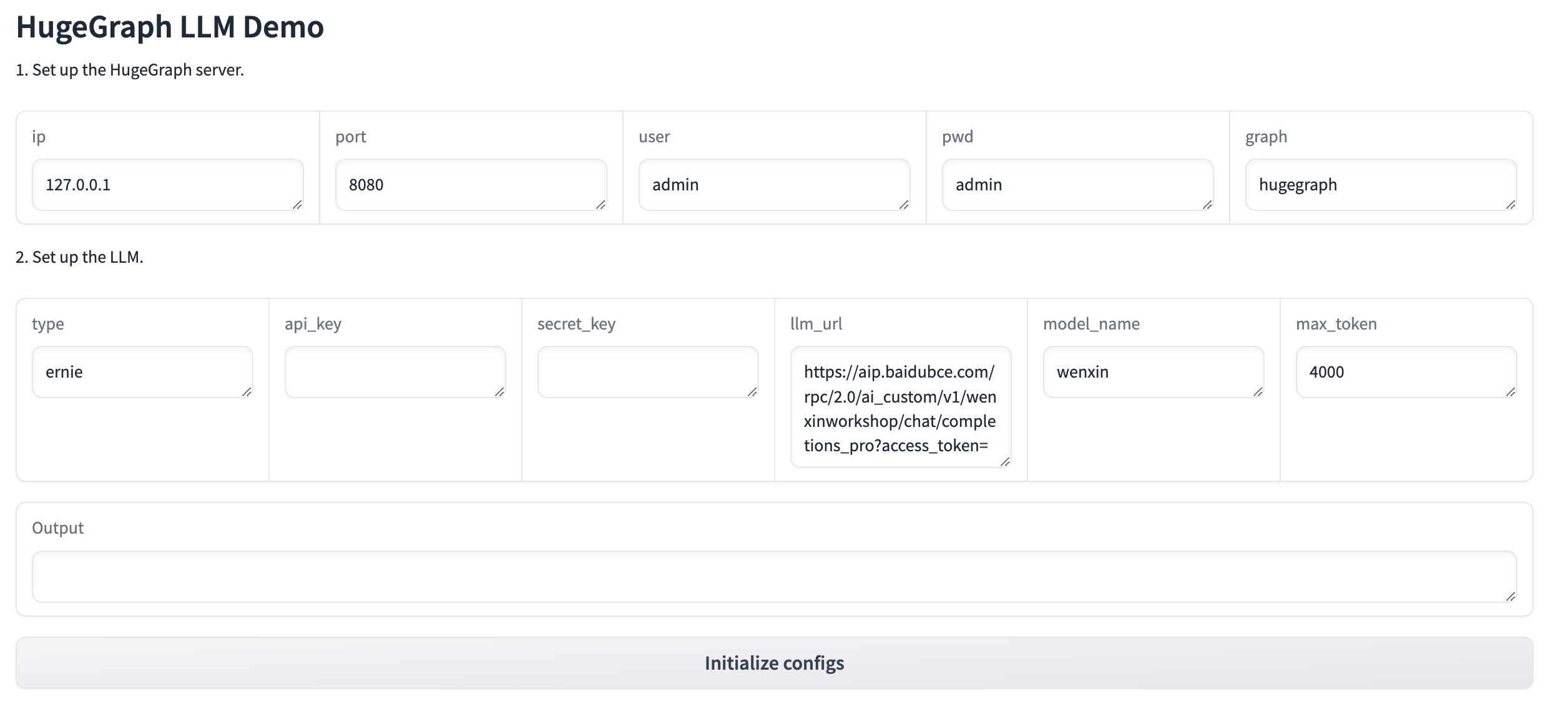
- Configure the
- offline download NLTK stopwords
4 How to use
4.1 Build a knowledge graph in HugeGraph through LLM
4.1.1 Build a knowledge graph through the gradio interactive interface
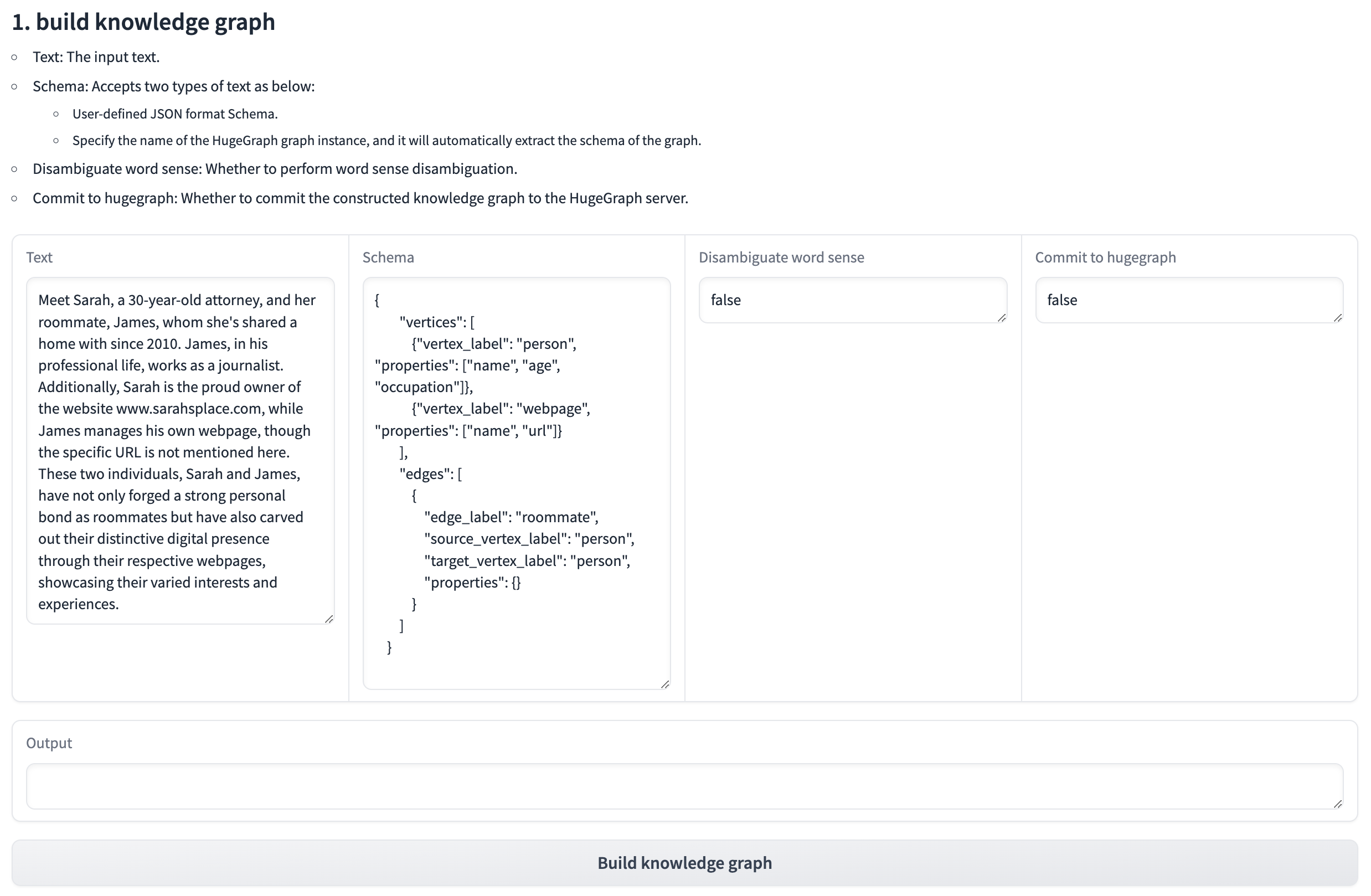
- Parameter description:
- Text: The input text.
- Schema: Accepts the following two types of text:
- User-defined JSON format schema.
- Specify the name of the HugeGraph graph instance, which will automatically extract the schema of the graph.
- Disambiguate word sense: Whether to disambiguate word sense.
- Commit to hugegraph: Whether to submit the constructed knowledge graph to the HugeGraph server
4.1.2 Build a knowledge graph through code
- Complete code
- Sequence Diagram
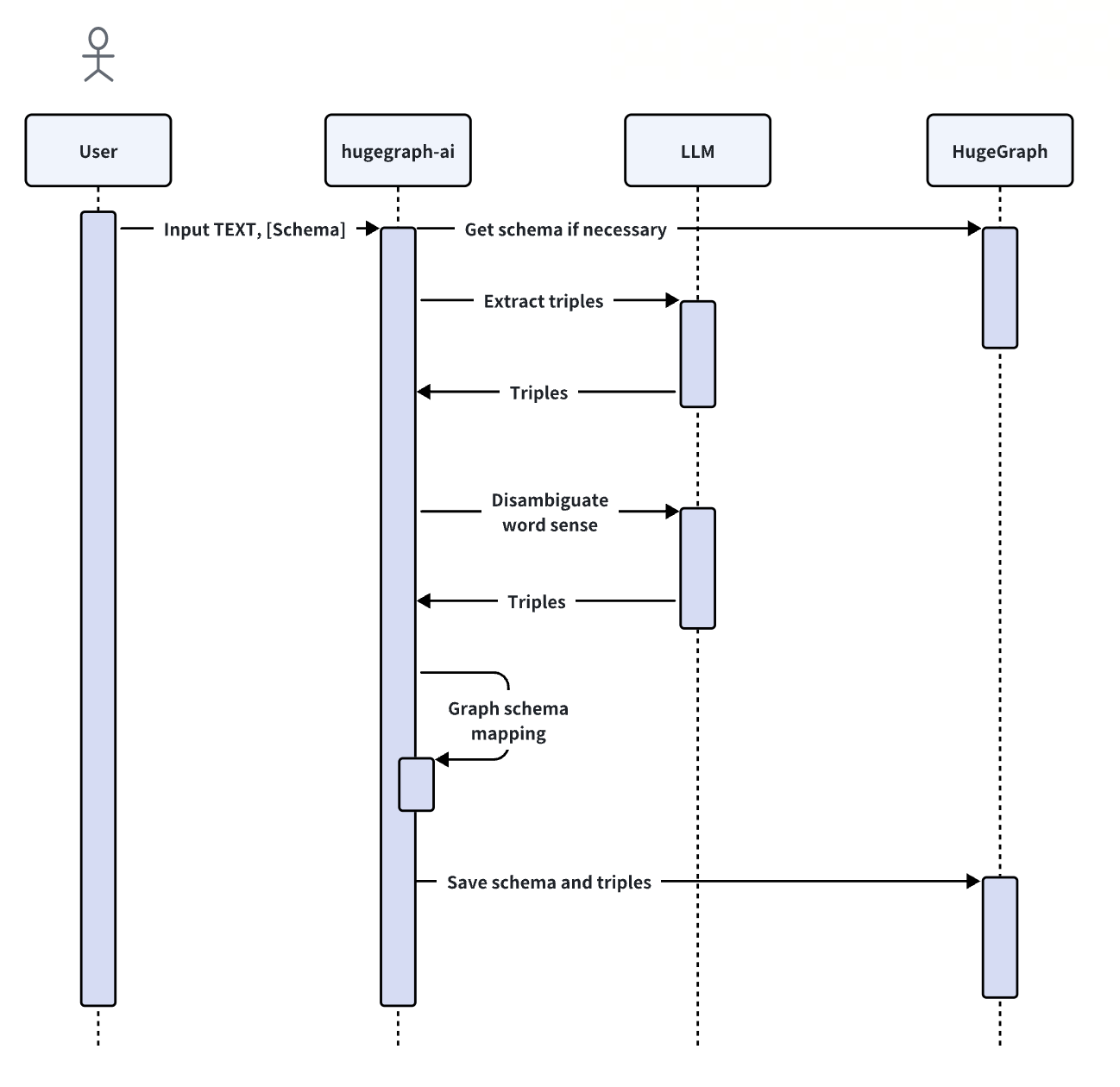
- Initialize: Initialize the LLMs instance, get the LLM, and then create a task instance
KgBuilderfor graph construction.KgBuilderdefines multiple operators, and users can freely combine them according to their needs. (tip:print_result()can print the result of each step in the console, without affecting the overall execution logic)
- Import Schema: Import using the
import_schemamethod, which supports three modes:- Import from a HugeGraph instance, specify the name of the HugeGraph graph instance, and it will automatically extract the schema of the graph.
- Import from a user-defined schema, accept user-defined JSON format schema.
- Import from the extraction result (release soon)
- Extract triples: Use the
extract_triplesmethod to extract triples from the text.
- Disambiguate word sense: Use the
disambiguate_word_sensemethod to disambiguate word sense.
- Commit to HugeGraph: Use the
commit_to_hugegraphmethod to submit the constructed knowledge graph to the HugeGraph instance.
- Run: Use the
runmethod to execute the above operations.
4.2 Retrieval augmented generation (RAG) based on HugeGraph
4.1.1 Interactive Q&A through gradio
- First click the
Initialize HugeGraph test databutton to initialize the HugeGraph data.
- Then click the
Retrieval augmented generationbutton to generate the answer to the question.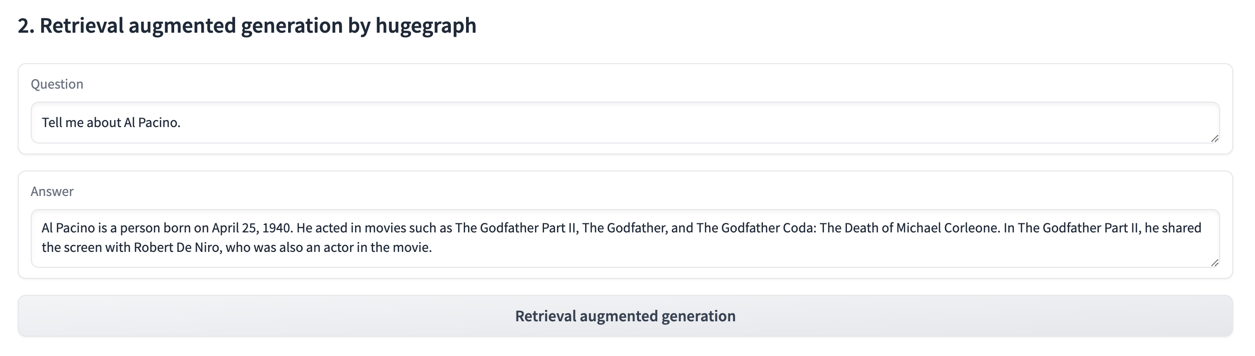
4.1.2 Build Graph RAG through code
- code
- extract_keyword: Extract keywords and expand synonyms.
- query_graph_for_rag: Retrieve the corresponding keywords and their multi-degree associated relationships from HugeGraph.
- max_deep: The maximum depth of hugegraph retrieval.
- max_items: The maximum number of results returned by hugegraph.
- synthesize_answer: Summarize the results and organize the language to answer the question.
- run: Execute the above operations.