# HugeGraph Toolchain Local Testing Guide
LLMS index: [llms.txt](/versions/1.7/llms.txt)
---
This guide helps developers run HugeGraph toolchain tests locally.
## 1. Core Concepts
### 1.1 Core Dependency: HugeGraph Server
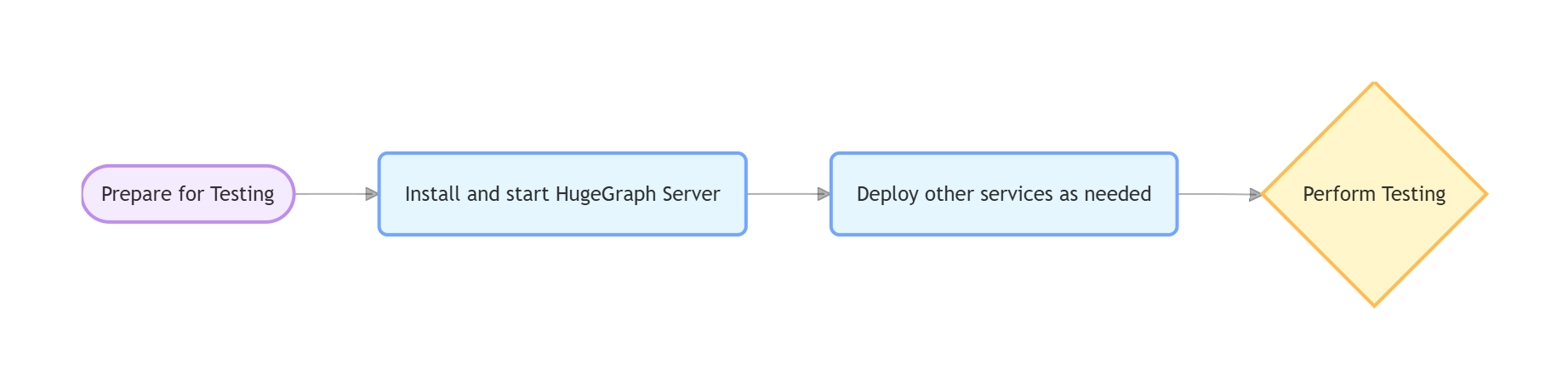
**Integration and functional tests of the toolchain depend on HugeGraph Server**, including Client, Loader, Hubble, Spark Connector, Tools, and other components.
### 1.2 Test Types
- **Unit Tests**: Test individual functions/methods, no external dependencies required
- **API Tests (ApiTestSuite)**: Test API interfaces, requires running HugeGraph Server
- **Functional Tests (FuncTestSuite)**: End-to-end tests, require complete system environment
## 2. Environment Setup
### 2.1 System Requirements
- **Operating System**: Linux / macOS (Windows use WSL2)
- **JDK**: >= 11, configure `JAVA_HOME`
- **Maven**: >= 3.5
- **Python**: >= 3.11 (only required for Hubble tests)
### 2.2 Clone Code
```bash
git clone https://github.com/${GITHUB_USER_NAME}/hugegraph-toolchain.git
cd hugegraph-toolchain
```
## 3. Deploy Test Environment
### Deployment Options
- **Script Deployment (Recommended)**: Precisely control Server version by specifying Commit ID, avoid interface incompatibility
- **Docker Deployment**: Quick start, but may have version lag causing test failures
> For detailed installation instructions, refer to [Community Documentation](https://hugegraph.apache.org/versions/1.7/docs/quickstart/hugegraph/hugegraph-server/)
### 3.1 Script Deployment (Recommended)
#### Parameter Description
- **`$COMMIT_ID`**: Specify Server source code Git Commit ID
- **`$DB_DATABASE` / `$DB_PASS`**: MySQL database name and password for Loader JDBC tests
#### Deployment Steps
**1. Install HugeGraph Server**
```bash
# Set version
export COMMIT_ID="master" # Or specific commit hash, e.g. "8b90977"
# Execute installation (script located in /assembly/travis/ directory)
hugegraph-client/assembly/travis/install-hugegraph-from-source.sh $COMMIT_ID
```
- Default ports: http 8080, https 8443
- Ensure ports are not occupied
**2. Install Optional Dependencies**
```bash
# Hadoop (only required for Loader HDFS tests)
hugegraph-loader/assembly/travis/install-hadoop.sh
# MySQL (only required for Loader JDBC tests)
hugegraph-loader/assembly/travis/install-mysql.sh $DB_DATABASE $DB_PASS
```
**3. Health Check**
```bash
curl http://localhost:8080/graphs
# Returns {"graphs":["hugegraph"]} indicates success
```
### 3.2 Docker Deployment
> **Note**: Docker images may have version lag, use script deployment if encountering compatibility issues
#### Quick Start
```bash
docker network create hugegraph-net
docker run -itd --name=server -p 8080:8080 --network hugegraph-net hugegraph/hugegraph:latest
```
#### docker-compose Configuration (Optional)
Complete configuration example including Server, MySQL, Hadoop services (requires Docker Compose V2):
```yaml
version: '3.8'
services:
hugegraph-server:
image: hugegraph/hugegraph:latest # Can be replaced with a specific version, or build your own image
container_name: hugegraph-server
ports:
- "8080:8080" # HugeGraph Server HTTP port
environment:
# Configure HugeGraph Server parameters as needed, e.g., backend storage
- HUGEGRAPH_SERVER_OPTIONS="-Dstore.backend=rocksdb"
volumes:
# If you need to persist data or mount configuration files, add volumes here
# - ./hugegraph-data:/opt/hugegraph/data
healthcheck:
test: ["CMD-SHELL", "curl -f http://localhost:8080/graphs || exit 1"]
interval: 10s
timeout: 3s
retries: 5
networks:
- hugegraph-net
# If you need JDBC tests for hugegraph-loader, you can add the following service
# mysql:
# image: mysql:5.7
# container_name: mysql-db
# environment:
# MYSQL_ROOT_PASSWORD: ${DB_PASS:-your_mysql_root_password} # Read from environment variable, or use default
# MYSQL_DATABASE: ${DB_DATABASE:-hugegraph_test_db} # Read from environment variable, or use default
# ports:
# - "3306:3306"
# volumes:
# - ./mysql-data:/var/lib/mysql # Data persistence
# healthcheck:
# test: ["CMD", "mysqladmin", "ping", "-h", "localhost", "-p${DB_PASS:-your_mysql_root_password}"]
# interval: 5s
# timeout: 3s
# retries: 5
# networks:
# - hugegraph-net
# If you need Hadoop/HDFS tests for hugegraph-loader, you can add the following services
# namenode:
# image: johannestang/hadoop-namenode:2.0.0-hadoop2.8.5-java8
# container_name: namenode
# ports:
# - "0.0.0.0:9870:9870"
# - "0.0.0.0:8020:8020"
# environment:
# - CLUSTER_NAME=test-cluster
# - HDFS_NAMENODE_USER=root
# - HADOOP_CONF_DIR=/hadoop/etc/hadoop
# volumes:
# - ./config/core-site.xml:/hadoop/etc/hadoop/core-site.xml
# - ./config/hdfs-site.xml:/hadoop/etc/hadoop/hdfs-site.xml
# - namenode_data:/hadoop/dfs/name
# command: bash -c "if [ ! -d /hadoop/dfs/name/current ]; then hdfs namenode -format; fi && /entrypoint.sh"
# healthcheck:
# test: ["CMD", "hdfs", "dfsadmin", "-report"]
# interval: 5s
# timeout: 3s
# retries: 5
# networks:
# - hugegraph-net
# datanode:
# image: johannestang/hadoop-datanode:2.0.0-hadoop2.8.5-java8
# container_name: datanode
# depends_on:
# - namenode
# environment:
# - CLUSTER_NAME=test-cluster
# - HDFS_DATANODE_USER=root
# - HADOOP_CONF_DIR=/hadoop/etc/hadoop
# volumes:
# - ./config/core-site.xml:/hadoop/etc/hadoop/core-site.xml
# - ./config/hdfs-site.xml:/hadoop/etc/hadoop/hdfs-site.xml
# - datanode_data:/hadoop/dfs/data
# healthcheck:
# test: ["CMD", "hdfs", "dfsadmin", "-report"]
# interval: 5s
# timeout: 3s
# retries: 5
# networks:
# - hugegraph-net
networks:
hugegraph-net:
driver: bridge
volumes:
namenode_data:
datanode_data:
```
#### Hadoop Configuration Mounts
Create a `./config` folder in the same directory as `docker-compose.yml` to mount Hadoop configuration files. You can skip this step if HDFS testing is not required.
📁 `./config/core-site.xml` content:
```xml
fs.defaultFS
hdfs://namenode:8020
```
📁 `./config/hdfs-site.xml` content:
```xml
dfs.namenode.name.dir
/hadoop/hdfs/name
dfs.datanode.data.dir
/hadoop/hdfs/data
dfs.permissions.superusergroup
hadoop
dfs.support.append
true
```
#### Docker Operations
```bash
# Start services
docker compose up -d
# Check status
docker compose ps
lsof -i:8080 # Server
lsof -i:8020 # Hadoop
lsof -i:3306 # MySQL
# Stop services
docker compose down
```
## 4. Run Tests
Test process for each tool:
### 4.1 hugegraph-client
#### Compile
```bash
mvn -e compile -pl hugegraph-client -Dmaven.javadoc.skip=true -ntp
```
#### Dependent Services
Start HugeGraph Server (refer to [Section 3](#3-deploy-test-environment))
##### Server Authentication Configuration
> **Note**: Docker images <= 1.5.0 don't support authentication tests, need 1.6.0+
ApiTest requires authentication configuration. Skip this if using script installation. Manual configuration needed for Docker:
```bash
# 1. Modify authentication mode
cp conf/rest-server.properties conf/rest-server.properties.backup
sed -i '/^auth.authenticator=/c\auth.authenticator=org.apache.hugegraph.auth.StandardAuthenticator' conf/rest-server.properties
grep auth.authenticator conf/rest-server.properties
# 2. Set password
# Note: Test code uses "pa" as default password, must match for tests to work
bin/stop-hugegraph.sh
export PASSWORD="pa" # Set to test default password
echo -e "${PASSWORD}" | bin/init-store.sh
bin/start-hugegraph.sh
```
#### Run Tests
```bash
# Check environment
curl http://localhost:8080/graphs # Should return {"graphs":["hugegraph"]}
curl -u admin:pa http://localhost:8080/graphs # Authentication test (pa is test default password)
# Run tests
cd hugegraph-client
mvn test -Dtest=UnitTestSuite -ntp # Unit tests
mvn test -Dtest=ApiTestSuite -ntp # API tests (requires Server)
mvn test -Dtest=FuncTestSuite -ntp # Functional tests (requires Server)
```
> Check Server log if tests fail: `logs/hugegraph-server.log`
### 4.2 hugegraph-loader
#### Compile
```bash
mvn install -pl hugegraph-client,hugegraph-loader -am -Dmaven.javadoc.skip=true -DskipTests -ntp
```
#### Dependent Services
- **Required**: HugeGraph Server
- **Optional**: Hadoop (HDFS tests), MySQL (JDBC tests)
#### Run Tests
```bash
cd hugegraph-loader
mvn test -P unit -ntp # Unit tests
mvn test -P file -ntp # File tests (requires Server)
mvn test -P hdfs -ntp # HDFS tests (requires Server + Hadoop)
mvn test -P jdbc -ntp # JDBC tests (requires Server + MySQL)
mvn test -P kafka -ntp # Kafka tests (requires Server)
```
### 4.3 hugegraph-hubble
#### Compile
```bash
mvn install -pl hugegraph-client,hugegraph-loader -am -Dmaven.javadoc.skip=true -DskipTests -ntp
cd hugegraph-hubble
mvn -e compile -Dmaven.javadoc.skip=true -ntp
```
#### Dependent Services
**1. Start Server** (refer to [Section 3](#3-deploy-test-environment))
**2. Python Environment**
```bash
python -m venv venv
source venv/bin/activate # Windows: venv\Scripts\activate
python -m pip install -r hubble-dist/assembly/travis/requirements.txt
```
**3. Build and Verify**
```bash
mvn package -Dmaven.test.skip=true
# Optional: Start and verify
cd apache-hugegraph-hubble-incubating-*/bin
./start-hubble.sh -d && sleep 10
curl http://localhost:8088/api/health
./stop-hubble.sh
```
#### Run Tests
```bash
# Unit tests
mvn test -P unit-test -pl hugegraph-hubble/hubble-be -ntp
# API tests (requires Server + Hubble running)
curl http://localhost:8080/graphs # Check Server
curl http://localhost:8088/api/health # Check Hubble
cd hugegraph-hubble/hubble-dist
./assembly/travis/run-api-test.sh
```
### 4.4 hugegraph-spark-connector
#### Compile
```bash
mvn install -pl hugegraph-client,hugegraph-spark-connector -am -Dmaven.javadoc.skip=true -DskipTests -ntp
```
#### Run Tests
```bash
cd hugegraph-spark-connector
mvn test -ntp # Requires Server running
```
### 4.5 hugegraph-tools
#### Compile
```bash
mvn install -pl hugegraph-client,hugegraph-tools -am -Dmaven.javadoc.skip=true -DskipTests -ntp
```
#### Run Tests
```bash
cd hugegraph-tools
mvn test -Dtest=FuncTestSuite -ntp # Requires Server running
```
## 5. Common Issues
### Service Connection Issues
**Symptoms**: Cannot connect to Server/MySQL/Hadoop
**Troubleshooting**:
- Confirm services are running (Server must be on port 8080)
- Check port usage: `lsof -i:8080`
- Docker check: `docker compose ps` and `docker compose logs`
### Configuration Issues
**Symptoms**: File not found, parameter errors
**Troubleshooting**:
- Check environment variables: `echo $COMMIT_ID`
- Script permissions: `chmod +x hugegraph-*/assembly/travis/*.sh`
### HDFS Test Failures
**Troubleshooting**:
- Confirm NameNode/DataNode running normally
- Check Hadoop logs
- Verify HDFS connection: `hdfs dfsadmin -report`
### JDBC Test Failures
**Troubleshooting**:
- Confirm MySQL running normally
- Verify database connection: `mysql -u root -p$DB_PASS`
- Check MySQL logs
## 6. References
* **HugeGraph GitHub Repository**: [https://github.com/apache/hugegraph](https://github.com/apache/hugegraph)
* **HugeGraph Toolchain GitHub Repository**: [https://github.com/apache/hugegraph-toolchain](https://github.com/apache/hugegraph-toolchain)
* **HugeGraph Server Official Documentation**: [https://hugegraph.apache.org/docs/quickstart/hugegraph/hugegraph-server/](https://hugegraph.apache.org/versions/1.7/docs/quickstart/hugegraph/hugegraph-server/)
* **CI Script Path**: `.github/workflows/*-ci.yml` (CI configuration files in the HugeGraph toolchain project, which can be used as a reference)
* **Dependent Service Installation Scripts**: `hugegraph-*/assembly/travis/` (Installation scripts for CI and local testing in the HugeGraph toolchain project, can be used directly or as a reference)